

StocksDome lets traders keep screener rows in place by setting Re-run every to None, while live values in the Table view keep updating. The rows stay still for review, but the match list is no longer refreshed on a timer.
Key points
- None stops timed re-runs, not live table-value updates.
- Fresh screening adds new matches and removes stocks that no longer qualify.
- Run screen refreshes the results manually; selecting a column heading still sorts them.
- The timer setting belongs to the browser, not to an individual saved screen.
What does the screener re-run timer control?
StocksDome’s November 19, 2026 update to its screening guidance explicitly names None as the setting for keeping rows in place. The useful distinction is between updating the figures beside a stock and checking whether that stock still belongs in the results.
A screen applies conditions to a chosen set of symbols. Its results are the stocks that passed those conditions when it ran. StocksDome’s Watch a screen live guide describes separate update processes:
- Live table values: figures in the rows on screen continue changing without a new screen run.
- Fresh matches: a re-run checks the conditions again, adds qualifying stocks and drops those that no longer qualify. The match count and run time update with that run.
With a timer active, rows can also move as their ranks change. Selecting None holds the rows in place while their live values continue updating.
That leaves an important limit: a displayed stock is not necessarily a current match. Its figures may have changed enough to fail a condition since the last run. Equally, a stock outside the list might now qualify but will not be added through a timed re-run while the timer is off.
How to keep screener rows in place
Use the Results controls on the Screener page:
- Open the screen to review and select Run screen to get a fresh result list.
- Choose Table. If needed, choose the desired column set under Columns before pausing; changing the set when results are present runs the screen again.
- Select the column heading to sort the results in the order to review.
- Open the box beside Re-run every and choose None.
- Review the rows while their live values update. Select Run screen when a fresh check of the conditions is needed.
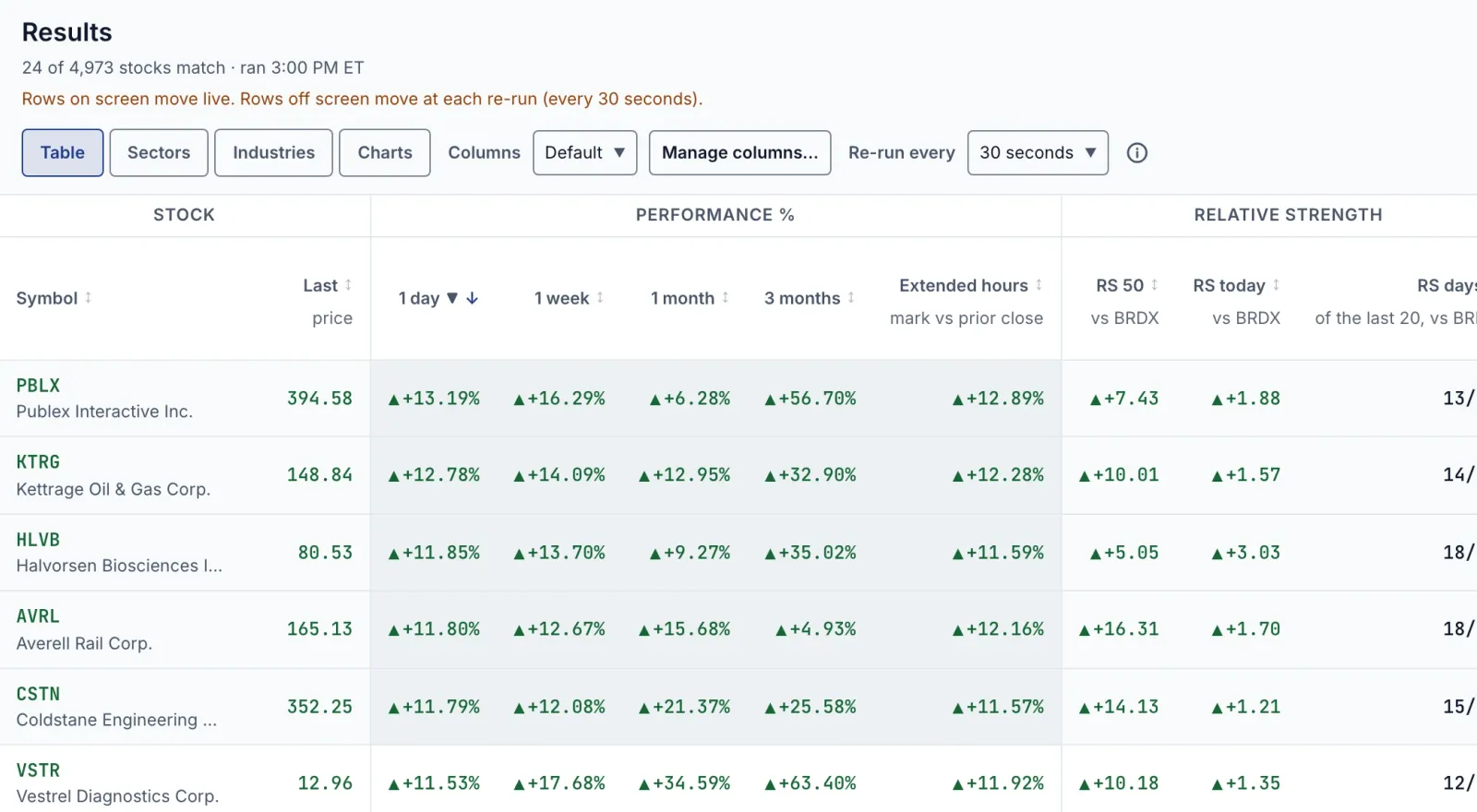
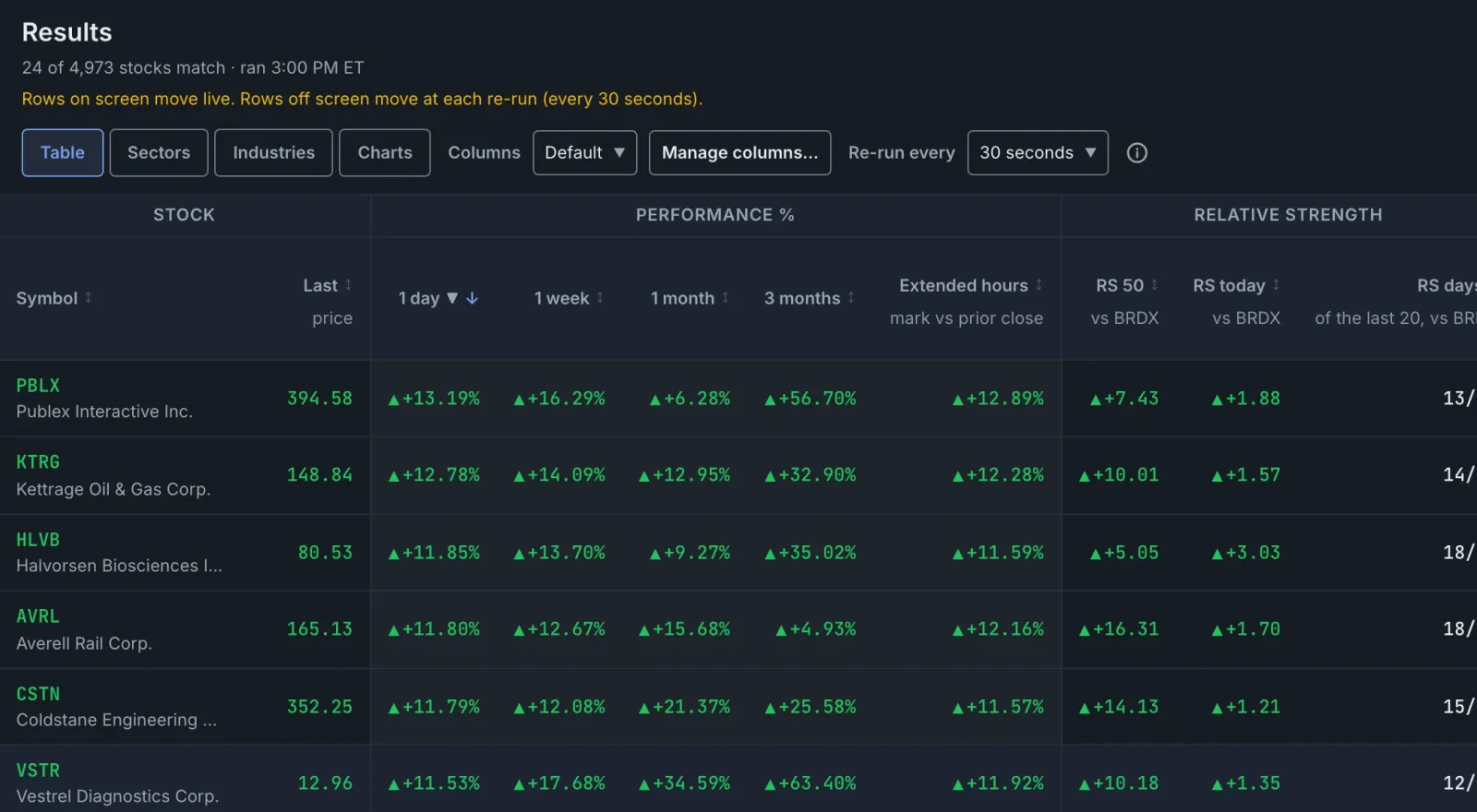
The results header holds the re-run control alongside the view and column controls. The illustration below shows timed monitoring, rather than the None setting used in these steps.
Holding rows in place does not disable sorting. Selecting another column heading changes their order. The Screener overview also notes that a manually started run begins with the table sorted by Symbol, A to Z. After a manual refresh, select the relevant heading again if a different review order is needed.
To restore timed screening, choose an interval under Re-run every. The documented choices are 5, 10, 15, 30 or 60 seconds, with 30 seconds as the starting setting.
When does a stable result list help traders?
Consider a trader reviewing a momentum screen after the open. The task has shifted from finding names to inspecting them: open a chart, examine the recent price action, then move to the next candidate.
During that review, a moving table can make it harder to keep track of which stock was next. Holding the rows still separates the review order from changes in the displayed figures. It does not establish that the candidates remain strong or that any setup is ready to trade.
Selecting a result opens its quick look, which includes a chart, a bid-and-ask quote and session figures. The up and down arrow keys step through results without closing the panel. Add to watchlist keeps a candidate on a chosen list; Open full chart opens it on the Chart page.
The trade-off is straightforward. A fixed list suits examining the candidates already found. Timed re-runs suit looking for newly qualifying names. Switching between those tasks should be deliberate, rather than assuming a moving price means the entire screen has just been checked.
What are the limits of turning the timer off?
The setting follows the browser
The live-screen guide says the interval choice applies to every screen opened in that browser. It is not saved separately for each screen. Another browser starts at the documented default.
For timed monitoring, the guide also says the timer pauses while the browser tab is hidden and the screen re-runs when the tab becomes visible again. An open background tab should not be treated as continuous timed screening.
Edited conditions need a new run
The timer uses the conditions from the screen’s last run. Changes made in the editor but not run are not included. Select Run screen to apply them, whether working with a timer or with None.
This matters when investigating an unexpected result. First check which conditions were actually run and the displayed run time. A live figure beside a symbol does not prove that the latest edits have been applied.
Other views have different update behaviour
The table’s live values do not describe every view. A card’s price in Charts changes at each re-run. With None selected, Sectors and Industries show Values as of with a time and explain that those groups update when the screen runs.
Use Table for the specific task of watching live values in stationary rows. Do not assume the group summaries or chart-card prices follow the same update process.
None is not an absolute lock
Manual runs, manual sorting and column-set changes can still change the results or their order. There is also a documented preparation exception: when weekly values are being calculated for the first time, the screen continues checking every 30 seconds under None until they are ready.
If Couldn’t update the screen appears, the rows remain from the last successful run. Check the stated reason and use Retry. Read that warning before interpreting an unchanged list as evidence that nothing in the market has changed.
FAQ
Does None freeze screener prices?
No. Live values in the Table rows keep updating. None removes timed re-runs and holds rows in place; it is not a snapshot of prices.
Will every displayed stock still pass the screen?
Not necessarily. The list reflects the last run, while live figures can change afterward. Select Run screen to check the conditions again and refresh membership.
Can the table still be sorted with None selected?
Yes. Selecting a column heading still sorts the rows. A manually started run also resets the table’s initial order to Symbol, A to Z.
Is None saved with an individual screen?
No. The re-run choice belongs to the browser and applies to screens opened there. Check the control when moving between browsers or changing from candidate review back to active scanning.
Sources
- Screening, StocksDome, product-copy update recorded November 19, 2026; accessed November 20, 2026.
This article is for information only and is not investment advice.